Learn How to Use Command Prompt
Master Windows Command Prompt with our 2024 beginner’s guide. Learn 50+ essential commands for file management, system troubleshooting, and automation. Free cheat sheet included!

Master Windows Command Prompt with our 2024 beginner’s guide. Learn 50+ essential commands for file management, system troubleshooting, and automation. Free cheat sheet included!
Blue Light Emitting All our computer, mobile, television devices emit blue light, which really have a negative impact on our sleep. Some mobiles do have the blue light filtering & Windows 10 has an inbuilt functionality to use warmer colors to prevent this issue. How to Set Your Display for Night Time in … Read more
How to try and play with Azure services for free? One can use an Azure free account which is a free trial account to try Azure services for free. This account provides you with a number of services and a $200 free credit for a validity of 12 months. Sign up Azure Free Account https://azure.microsoft.com/en-us/free/ … Read more
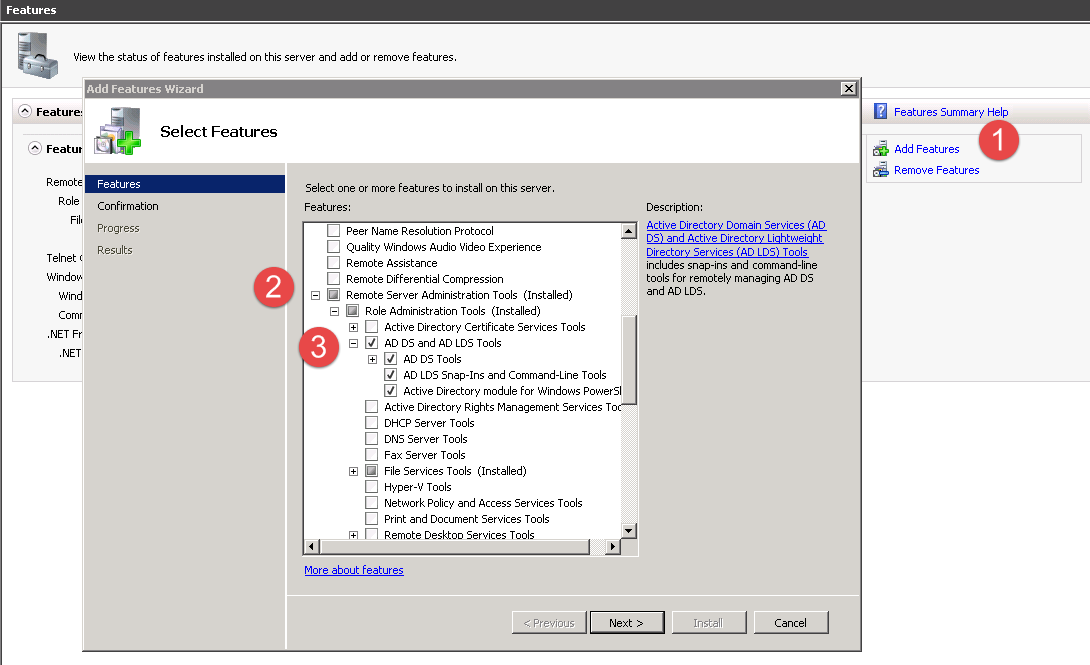
Windows Server 2008 Standard Instructions: Expand: Remote Server Administration Tools Role Administration Tools Active Directory Domain Services Tools Then check Active Directory Domain Controller Tools. Windows Server 2008 R2 Instructions: Expand: Remote Server Administration Tools Role Administration Tools AD DS and AD LDS Tools AD DS Tools Then check AD DS Snap-Ins and Command-Line Tools. … Read more
To open ports using the command prompt in Windows 11, you’ll need to use the Windows Defender Firewall with Advanced Security. Here’s a step-by-step guide on how to do this: Copynetsh advfirewall firewall add rule name=”Rule Name” dir=in action=allow protocol=TCP localport=PortNumber Let’s break this down: Copynetsh advfirewall firewall add rule name=”Open Port 80″ dir=in action=allow … Read more

Discover the best ERP software for NYC wealth management firms. Boost efficiency, ensure SEC & FINRA compliance, and scale your firm. Get a tailored comparison now.
How to Restart Microsoft Edge Browser in Safe Mode: Complete Guide to Clean Startup Without Previous Sessions
Use : Get-ADDefaultDomainPasswordPolicy Gets the default password policy for an Active Directory domain. Get-ADDefaultDomainPasswordPolicy [-AuthType <ADAuthType>] [-Credential <PSCredential>] [[-Current] <ADCurrentDomainType>] [-Server <String>] [<CommonParameters>] Get-ADDefaultDomainPasswordPolicy [-AuthType ] [-Credential ] [-Identity] [-Server ] [] Description The Get-ADDefaultDomainPasswordPolicy cmdlet gets the default password policy for a domain. The Identity parameter specifies the Active Directory domain. You can identify … Read more
Windows Firewall on computers running Windows7, Windows 8 and Windows 10 is enabled by default. You may need turn it off/on for numerous reasons. steps for how you do it using a command prompt: To Turn Off: NetSh Advfirewall set allprofiles state off To Turn On: NetSh Advfirewall set allprofiles state on To check the status of … Read more
What does password age mean to ? The Minimum password age policy setting determines the period of time (in days) that a password must be used before the user can change it. You can set a value between 1 and 998 days, or you can allow password changes immediately by setting the number of days … Read more
Of course. “Microsoft AI” is a broad term that refers to Microsoft’s comprehensive portfolio of artificial intelligence services, tools, and platforms. It’s not a single product, but rather an entire ecosystem.
Also Read : OpenAI & Microsoft Sign Revised Partnership Deal Here are 10 proven ways to make money with AI, drawing from current trends and opportunities in 2025: 1. Offer AI-Powered Freelance Services Use AI tools to enhance freelance work in writing, design, coding, or translation. Platforms like Upwork and Fiverr allow you to offer … Read more
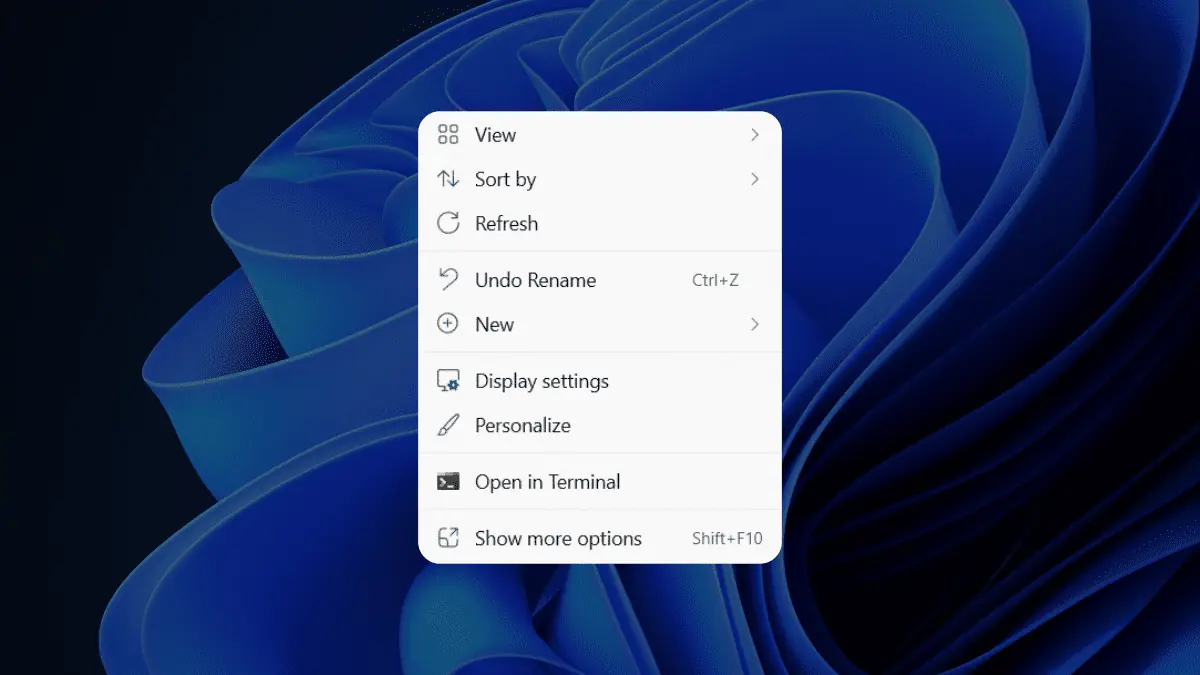
Windows 11 Changed the Right-Click Menu
You can use LDP.EXE to do the garbage collection control. Here are the steps: Step1: In Ldp.exe, when you click Browse on the Modify menu, leave the Distinguished name box empty. Step2: In the Edit Entry Attribute box, type “DoGarbageCollection” (without the quotation marks), Step3: In the Values box, type “1” (without the quotation marks). … Read more
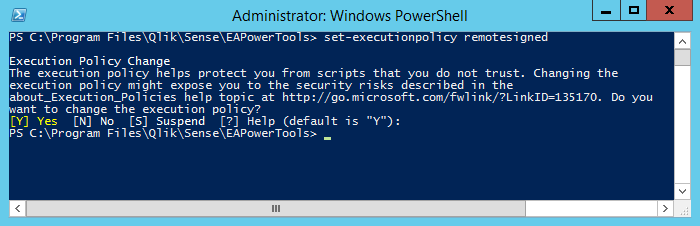
Run A Script In PowerShell? Launch Windows PowerShell, and wait a moment for the PS command prompt to appear Navigate to the directory where the script lives PS> cd C:\my_path\ (enter) Execute the script: PS> .\run_import_script.ps1 (enter) If it fails, you should check “setexecutionpolicy” Steps: Launch a Windows PowerShell window run as an administrator. Navigate … Read more
Microsoft Azure – Is there an out-of-the-box Azure service that is specifically designed for general-purpose logging?